How to Record Meetings and Never Miss Details Again
Discover how Inner AI's meeting recording feature can transform your virtual meetings with automatic transcription, summaries, and AI interaction.
Published on February 5, 2025

In today's corporate rhythm, information overload and multiple responsibilities can compromise our full participation in meetings. Distractions, competing tasks, or low engagement cause important details to be lost, negatively impacting productivity and decision-making. With this in mind, Inner AI has developed an innovative meeting recording feature that not only records your video conferences but also generates automatic summaries and transcriptions. Additionally, our artificial intelligence allows you to ask intelligent questions during the meeting, ensuring that no detail goes unnoticed.
In this article, you'll discover how this tool can transform the way you manage your meetings and learn, step by step, how to set up and use recording with Inner AI on platforms like Google Meet, Microsoft Teams, and now Zoom.
Why Use Meeting Recording with Inner AI?
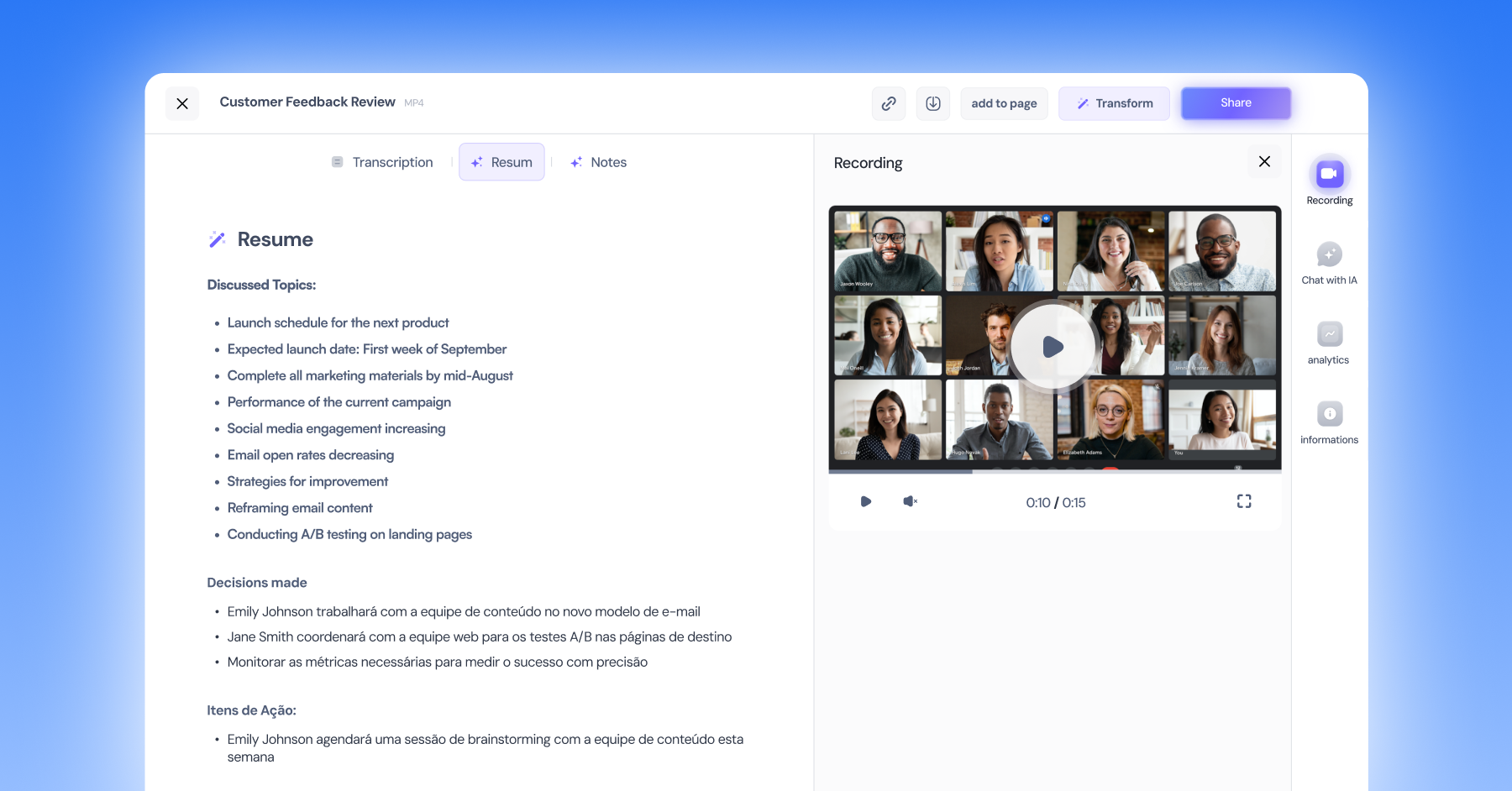
1. Record Every Detail with Precision
Inner AI's meeting assistant joins your video conference and performs complete meeting recording. After completion, the system processes the recording and generates a detailed transcription that is stored along with the video. Thus, all your meetings are saved, and you can access the written content later, making it easier to review and follow up on discussions.
2. Get Automatic Summaries
After the meeting, our tool generates an automatic summary, highlighting the most important points. This functionality helps save time and ensures that all participants are aligned with the decisions made.
3. Artificial Intelligence for Interaction
Unlike other meeting recorders, Inner AI offers an exclusive feature: interactive chat with artificial intelligence. This functionality allows you to ask specific questions about your meeting content, such as "What is Pedro's priority for the week?". The AI analyzes the meeting's transcription and summary, providing accurate answers and facilitating access to the most important information.
4. Compatibility with Major Platforms
Versatility is one of our greatest qualities. Now, in addition to working perfectly on Google Meet and Microsoft Teams, Inner AI is also available for Zoom, ensuring you can record meetings on the market's leading platforms.
Step by Step: How to Record Your Meeting with Inner AI
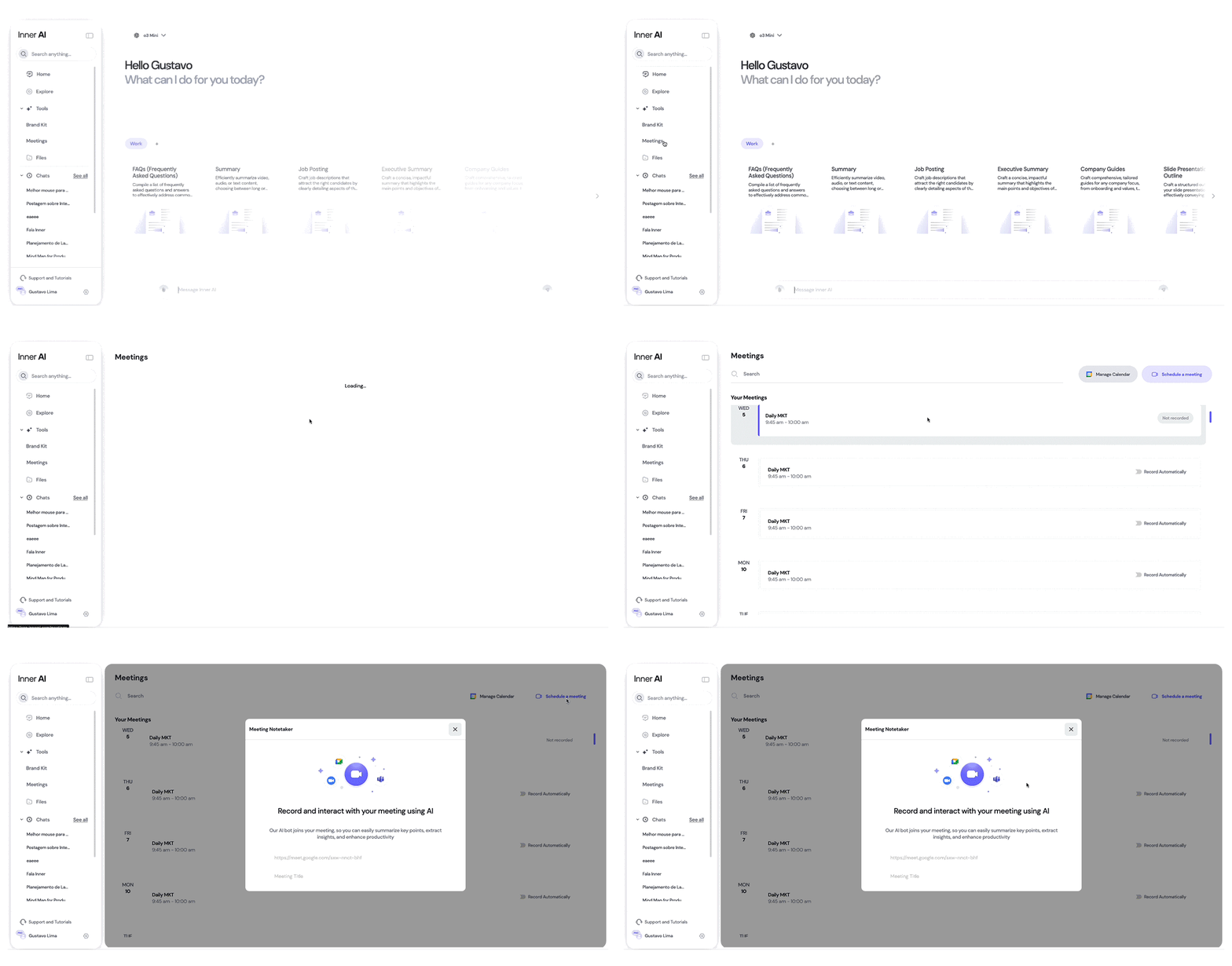
Step 1: Schedule Your Meeting
- Compatible Platforms: Ensure your meeting will be held on Google Meet, Microsoft Teams, or Zoom.
- Initial Setup: You'll only need the meeting link, e.g., https://meet.google.com/wnp-wcik-mnf
Step 2: Access the Meetings Tool in Inner
- Access Meetings: In the left sidebar, click on "Tools" and then "Meetings"
- Required Permissions: The meeting recording functionality is exclusive to Ultra plan subscribers. Check more information about our plans here
Step 3: Schedule the Assistant
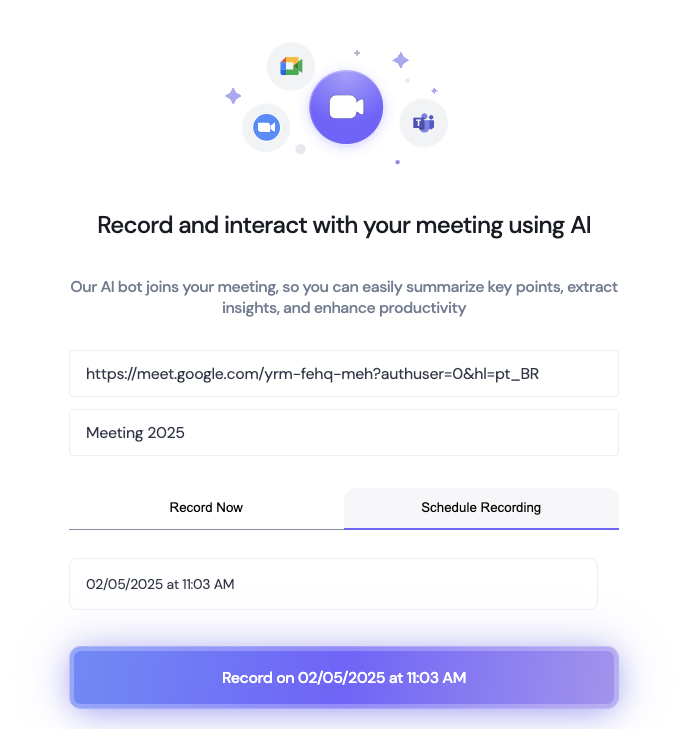
Schedule Meeting: In the upper right corner, click on "Schedule a meeting" and fill in the information below:
- Meeting Link: This is the video conference link, e.g., https://meet.google.com/wnp-wcik-mnf
- Meeting Title: This is your chosen title to save your meeting on the Inner platform.
- Time: At this stage, you have the option to "Record Now," where the bot will join your meeting within 30 seconds, or you can choose "Schedule Time" and select the date and time for the bot to join your meeting.
Required Permissions: The "Bot Inner AI" meeting assistant needs permission to start recording. When in the meeting room, be sure to allow our bot access to the meeting. Note: You don't need to be the meeting host to use the bot in your meetings. You just need to accept bot access, and it will start recording.
Step 4: Start the Meeting
Automatic Entry: The Inner AI bot will join the meeting automatically. This process can take about 30 seconds after the scheduled time. Once the bot requests access to the meeting, just accept its presence.
Step 5: Finish and Access the Summary and Transcription
Post-Meeting Processing: At the end of the meeting, wait a few minutes for Inner AI to finish processing the data. Content Access: Receive the summary and transcription directly on the Inner platform, on the "Meetings" screen.
Watch Our Tutorial Video on How to Optimize Virtual Meetings with AI
https://intercom.help/innerai/pt-BR/articles/10309960-otimize-reunioes-virtuais-com-ia
Conclusion
Recording meetings with Inner AI is a complete solution that goes far beyond simple audio and video recording. With advanced features like automatic transcription, summary generation, and intelligent interactivity, our tool becomes indispensable for teams seeking efficiency and precision in communication.
If you want to elevate your meetings and ensure that no detail is lost, try recording meetings with Inner AI. Also, take advantage of compatibility with Google Meet, Microsoft Teams, and now Zoom, and transform how your team communicates!